How to start a local SEO business: the complete guide to your first year
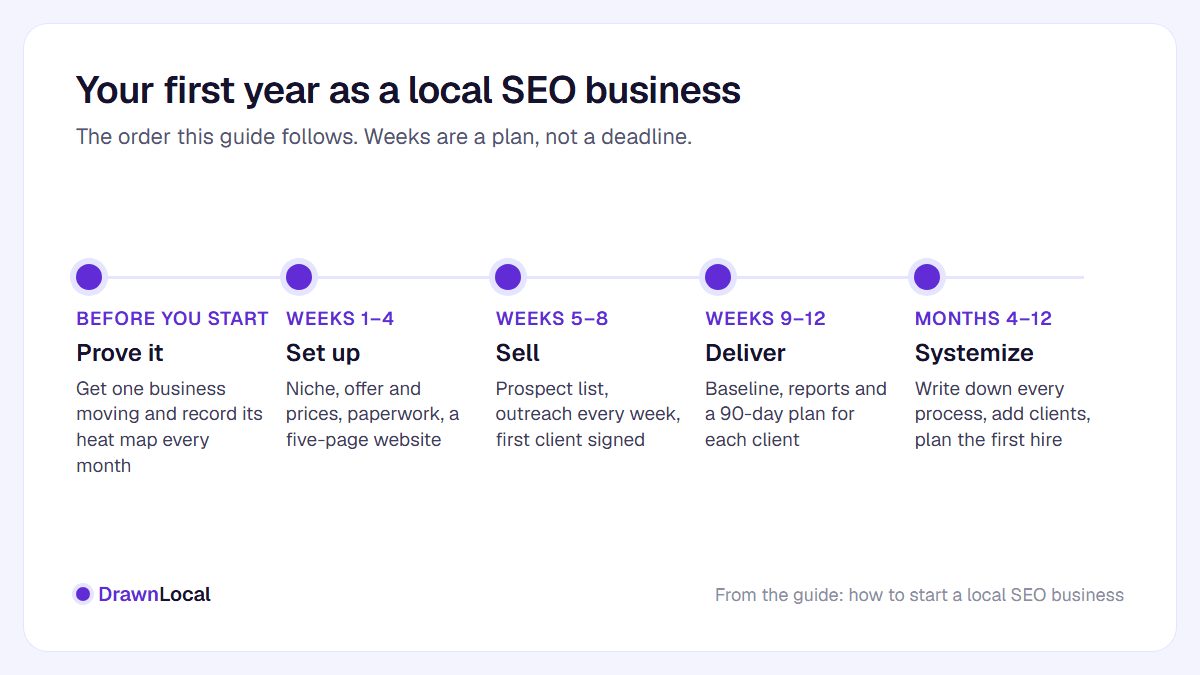
Local SEO is a practical business to start: small clients, results you can show on a map, and low running costs. This guide covers the whole first year in order, from proving you can get results to the point where you need help, with a linked guide for each step.
By the DrawnLocal team · · Updated · 14 minute read
Before you start: can you get results?
Clients buy proof. Before you charge anyone, get one business moving: your own side project, a friend’s, or a local business you help for free in exchange for a case study. Record a heat map of its main keyword on day one and every month after.
Three months of that gives you something many new agencies don’t have: a before-and-after map, a short story about what you changed, and the confidence that the method works. It also shows you how long the work really takes, which you need before you can price it.
One trap to avoid: don’t create a Google Business Profile for your agency unless it qualifies. Google says a business “must make in-person contact with customers during its stated hours”, so a remote agency that only works online usually doesn’t.
What your first heat map tells you
A heat map is proof an owner can read at a glance. It checks where a business ranks on Google Maps from a grid of points around it, because rankings change with the searcher’s location.
Here’s a live example from DrawnLocal’s free tool: a plumbing company in Boise, Idaho, checked for “plumber” on Nov 21, 2026. It ranks first at its own location and in the top 3 at 7 of 9 points. Its weakest point is to the north-east, where it drops to sixth.
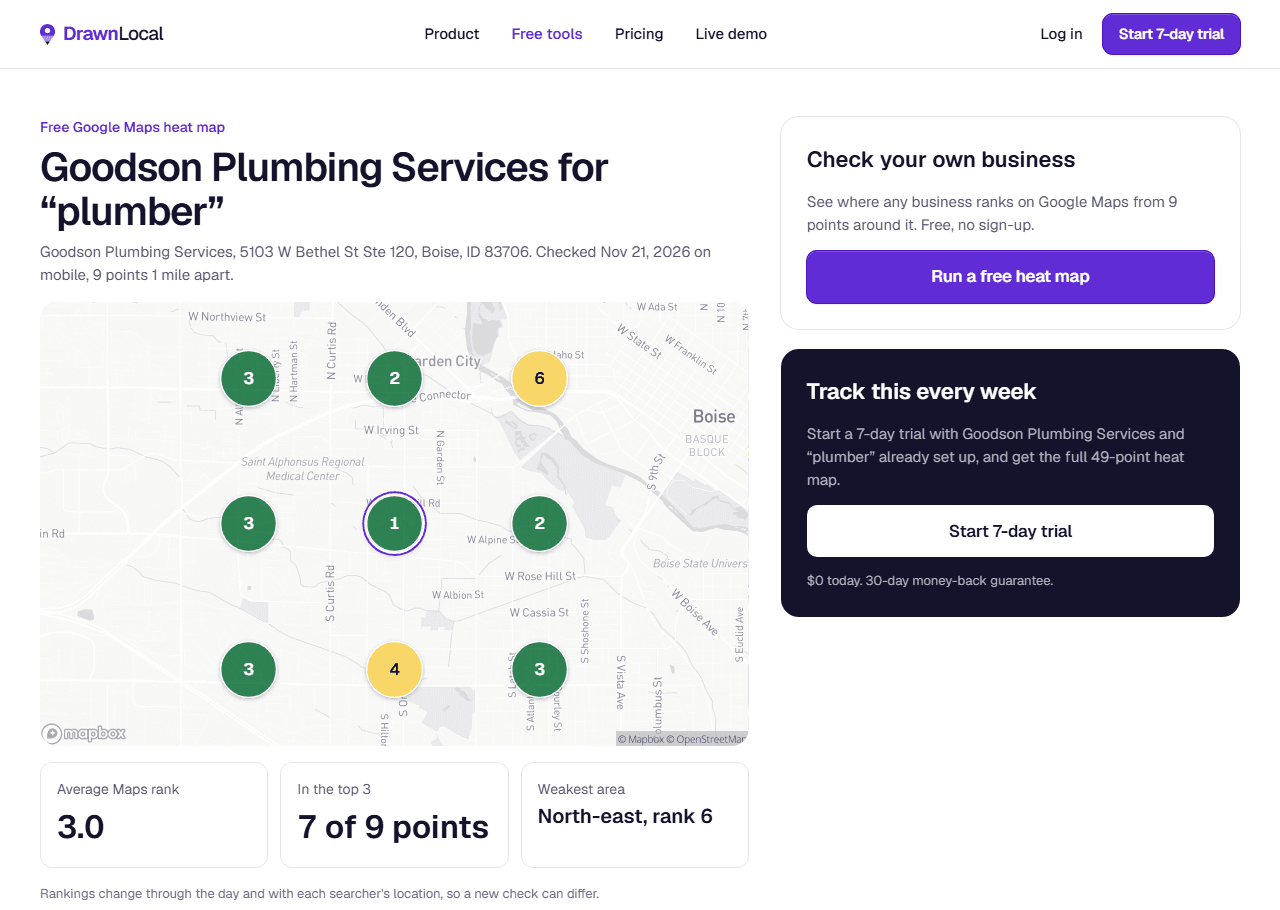
For a new agency, a map like this does three jobs. It’s the baseline you record before changing anything. It opens a sales conversation, because it shows an owner exactly where they lose calls. And a series of them, month after month, becomes the case study that wins the next client.
Run one on your practice business today, then again every month on the same keyword and grid. How to read a local SEO heat map explains what each pattern usually means.
1. Choose a niche for your local SEO business
Specializing makes everything faster: the same keywords, the same competitors’ tactics, the same proof. Score a few candidate trades against these criteria before you choose:
| Criterion | Why it matters | How to check |
|---|---|---|
| Calls come from Google Maps | Local SEO moves Maps rankings, so the trade must win work there | Search its main service in a few towns; is there a Maps box above the results? |
| Jobs are valuable | A few extra jobs a month must justify your fee | Ask two owners what a typical job is worth |
| Winnable competition | You need early wins to keep clients | Run a heat map in three towns; are the top 3 beatable? |
| You can reach owners | Prospecting has to be practical | Can you find 100 of them in your region? |
| You understand the work | Your pitch has to sound like experience | Could you write a service page for them today? |
Score three or four trades, add up the points and start with the highest. Add a second trade once the first has a case study you can show.
Home-service trades often score well: many of their calls come from Google Maps, their jobs are valuable and owners understand a map at a glance. Home services SEO covers what’s different about trades, and the guides for garage door, locksmith, landscaping and pest control businesses show how each one differs.
Describe your business in one sentence
Owners decide quickly whether you’re for them. Write one sentence that says who you help, with what, and how they’ll know it worked, then use it on your website, your emails and every call:
“I help [trade] in [region] get more [type of job] from Google Maps, and show the results on a map every month.”
For example: “I help plumbers in Colorado get more water heater and repipe jobs from Google Maps.” It’s specific enough to sound like experience and simple enough to repeat.
Or, for a second trade later: “I help HVAC companies in Phoenix get more AC repair calls from Google Maps, with a heat map report every month.” Same shape, different trade and city.
2. Decide what you sell
A clear monthly service is easier to sell and deliver than a menu of tasks. Build it from these pieces, and keep anything you can’t do well off the list:
| Service | How it’s sold | Notes |
|---|---|---|
| Audit and fixes | One-time setup fee | Profile category, name, hours and services, plus listing clean-up |
| Google Business Profile upkeep | Monthly | Photos, posts for customers, Q&A, edits from the public |
| Review routine | Monthly | Set up once, then tracked every month against competitors |
| Service and area pages | Monthly, one or two a month | The top website factor for local results in expert surveys |
| Local links and mentions | Monthly | Associations, suppliers, sponsorships, local news |
| Reporting | Monthly | Heat map, rankings, reviews and calls against the starting month |
| Web design, ads, social | Leave out at first | Refer them out until you have the people to do them well |
Turn the menu into two or three packages by how much work each market needs. How much to charge for local SEO has market figures, sample packages and how to check your margin. The 90-day plan shows what the work looks like for a new client.
Add AI visibility to what you report
Some customers now ask ChatGPT or Google AI Mode for a recommendation instead of scrolling the map. Checking whether those answers name your client takes minutes, and it fits easily into a monthly report.
Here’s a live check for the same Boise plumber, asking for “best plumber in Boise, ID”. On Nov 21, 2026, both ChatGPT and Google AI Mode recommended it.
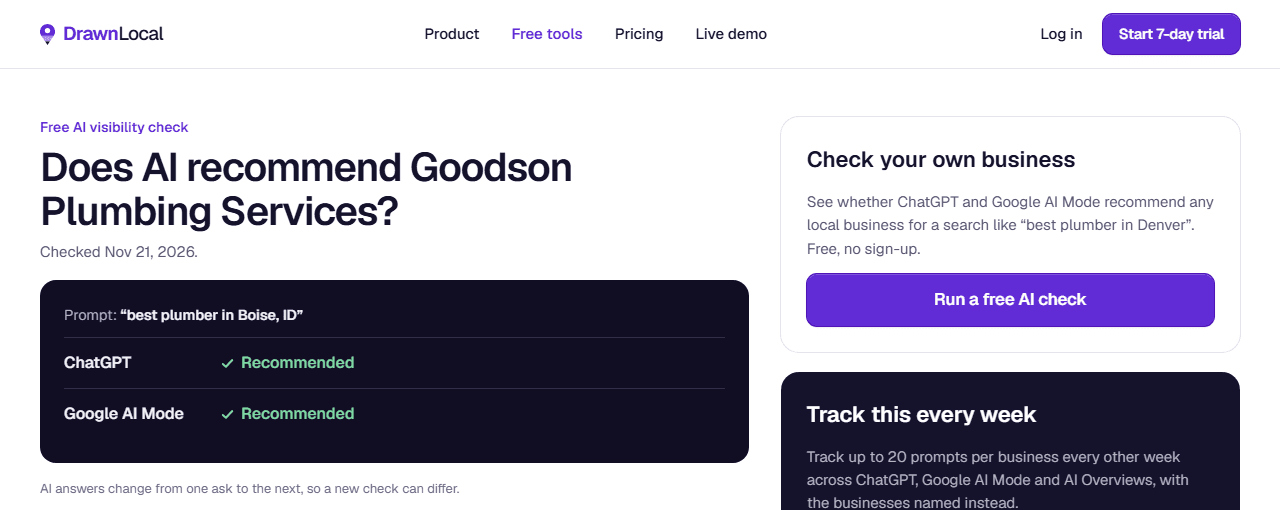
AI answers change from one ask to the next, so treat one check as a snapshot, not a ranking. Track the same few prompts every other week and report the trend. DrawnLocal tracks up to 20 prompts per business across ChatGPT, Google AI Mode and AI Overviews.
AI visibility trackers for local SEO and Google AI Mode and local SEO explain what to track and what the early studies found.
Price your first package: a worked example
Price from the hours the work takes, not from what feels affordable to you. An example with illustrative figures, not a benchmark:
| Item | Example |
|---|---|
| Hours a month for one location | 6 |
| Your target hourly rate | $100 |
| Tools per client | about $10 |
| Monthly retainer | $610, rounded to $650 |
| Setup: audit and first fixes, about 8 hours | $800 once |
| Extra jobs a month to cover the fee, if a job is worth $1,500 | Fewer than one |
Then check the figure against the market. A roofer in a big city may need far more hours than a plumber in a small town. Quote from a heat map of their market rather than one price for everyone.
Write down the hours you actually spend on each client for the first three months. If they run over the package, raise the price for the next client or trim the scope, before the gap becomes a habit.
3. Set up the business
The paperwork is quick, and doing it now saves pain later. For a US business, the basics are:
- Pick a structure. The SBA says you’re automatically a sole proprietorship if you do business without registering as anything else, and that you can then be held personally liable for the business’s debts. An LLC, it says, protects your personal assets in most instances; its members still pay self-employment tax.
- Get an EIN if you need one. The IRS says you generally need one to hire employees or run a partnership or corporation. It’s free from the IRS directly, and the IRS warns: “You never have to pay a fee for an EIN.” Form an LLC with your secretary of state before applying.
- Open a separate business bank account, so income, tool costs and taxes are easy to track.
- Write a contract template and a one-page proposal before your first sales call. The contract checklist lists the 12 terms to include, and the proposal template has a filled-in example.
- Follow Google’s rules for agencies. The client keeps ownership of its Business Profile, you get written consent before managing it, and any management fee is disclosed in writing. See how to get access to a client’s Google Business Profile.
- Ask an accountant about insurance, sales tax and setting money aside for taxes in your state. This section is general information, not legal or tax advice.
Your website: five pages to start
Prospects will look you up after your first email. Five pages are enough:
- Home: your one-sentence description, a before-and-after heat map and one clear next step.
- Services and packages: what’s included, and a starting price or range.
- Case study: the business you helped first, what you changed and what moved.
- About: who you are and why this niche.
- Contact: a form or a booking link for a short call.
Then practice what you sell: a clear page for each service, your details the same everywhere, and a fast site that works on phones.
4. Budget: what you need on day one, and what can wait
Starting costs are mostly your time. Spend on what clients see and what saves you hours; leave the rest until revenue pays for it.
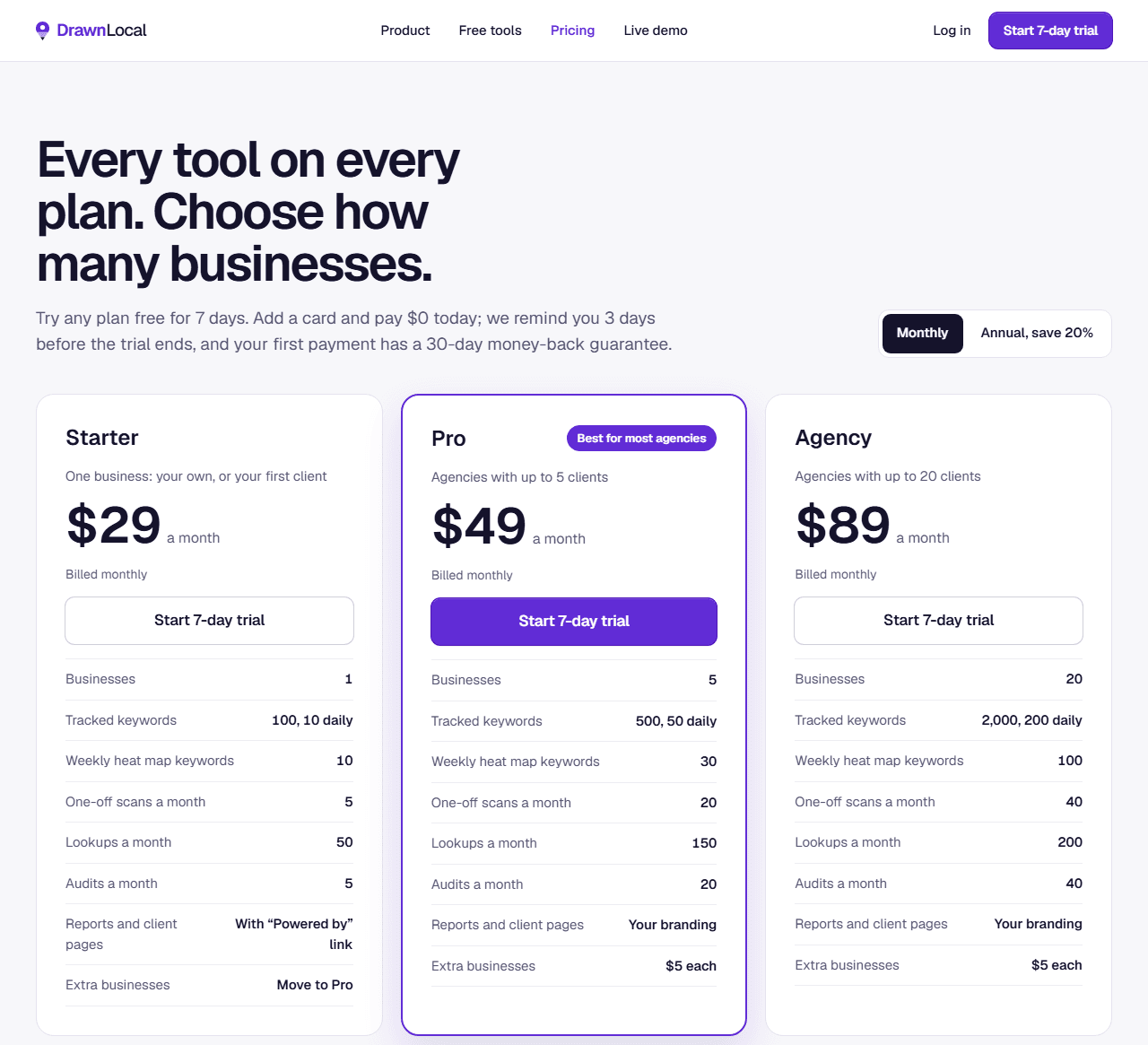
One of the main tool costs is the platform you deliver and report with. DrawnLocal’s plans as of Nov 22, 2026: Starter is $29 a month for one business. Pro is $49 for up to five with your branding, and Agency is $89 for up to twenty. Every plan has every tool, and each starts with a 7-day trial and $0 due today.
| Item | Day one? | Why |
|---|---|---|
| Local SEO platform: heat maps, rankings, reviews, reports, audits | Yes | It’s your delivery and your proof; DrawnLocal is $29 a month for one business and $49 for five with your branding |
| Simple website with your niche, results and contact form | Yes | Prospects will look you up after your first email |
| Email on your own domain | Yes | Cold email from a free inbox can look less trustworthy |
| Contract and proposal templates | Yes | You need both before the first call |
| Accounting software | Soon | Once you invoice more than a couple of clients |
| Project management tool | Soon | Once you have three or more clients |
| Paid ads for your agency | Later | Outreach and referrals cost less while you’re small |
5. Win your first three clients
Start where trust already exists, then add outreach. In order: businesses you or your friends already use, then local business groups and chambers of commerce. Next, web designers and accountants who serve your niche and need someone to refer SEO to. Then direct outreach to businesses with a visible gap.
For outreach, audit before you write and lead with a heat map that shows where the business disappears and who takes the call instead. How to get local SEO clients walks through the seven steps, and how to sell SEO services covers the sales call, objections and closing.
Build your first prospect list in an afternoon
A short, well-researched list beats a long, random one. Steps for your chosen trade and region:
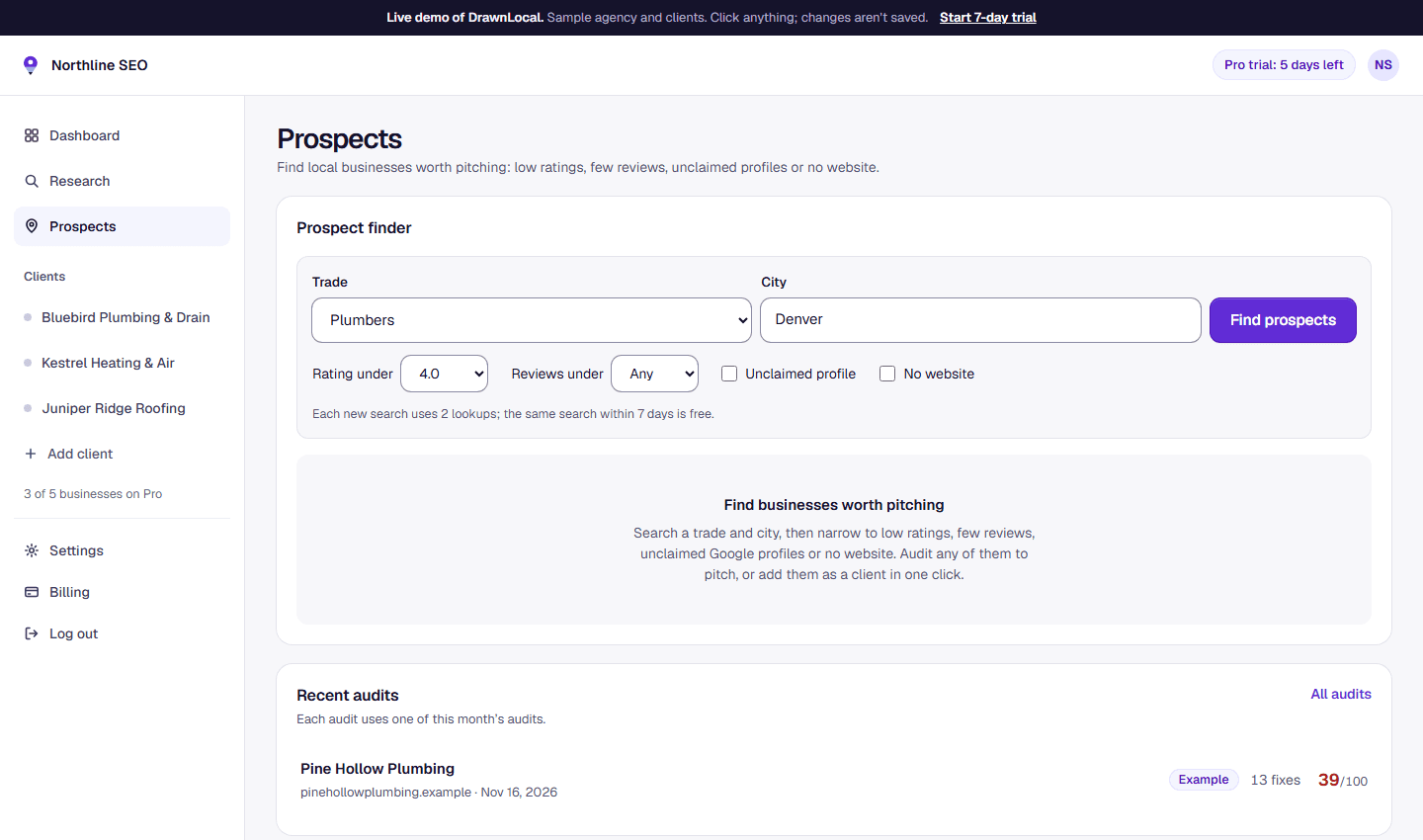
- Search the trade’s main service in each town you cover, such as “plumber” or “water heater repair”, and open the full Maps list.
- Note businesses ranked roughly 4th to 20th. They’re active businesses, but they sit outside the three that Google shows first in the map results.
- Skip any with an obvious reason they can’t rank nearby, such as an address in another town.
- For each one left, note the review count, the rating, the primary category and whether the website has a page for the main service.
- Run a free heat map on the ten with the clearest fixable gap, and save each map for the first email.
Repeat it for a new town every week, and keep the sheet: it doubles as your pipeline. After a month you’ll know the market and many of the businesses in it, which helps on every call.
A first outreach email you can adapt
Short and specific works better than clever. A template, with the parts in brackets to fill in:
Subject: [Business] on Google Maps in [town]
“Hi [name], I checked where [business] shows up on Google Maps for ‘[main service]’ across [town]. You’re in the top 3 near [area], but from [other area], [competitor] comes up first. I’ve attached the map.”
“The first fix I’d make is [one specific fix, such as a more specific primary category]. Would a 15-minute call this week to walk through it be useful?”
“[Your name], [agency], [postal address]. Reply ‘no thanks’ and I won’t email again.”
It names one real problem, shows proof, and asks for a small next step. It also includes the postal address and opt-out that the FTC’s CAN-SPAM guide requires in commercial email, and the FTC says there’s no exception for business-to-business email.
Send ten or twenty a week to start, each one researched, rather than hundreds of generic ones. Track replies in a simple sheet so you learn which first line gets answers.
6. Your first 90 days as an agency
| Weeks | Focus | Done when |
|---|---|---|
| 1–2 | Niche chosen, service menu and prices set | One-page offer you can explain in two sentences |
| 2–3 | Business set up, contract and proposal templates written | Ready to sign a client |
| 3–4 | Website live with your proof, prospect list built | 100 businesses with a fixable gap |
| 5–8 | Outreach every week, calls booked | First client signed and onboarded |
| 9–12 | Deliver, report and ask for referrals | Three clients, each with a baseline and a 90-day plan |
Onboard your first client in one week
The first week sets the tone for the whole relationship. A simple plan:
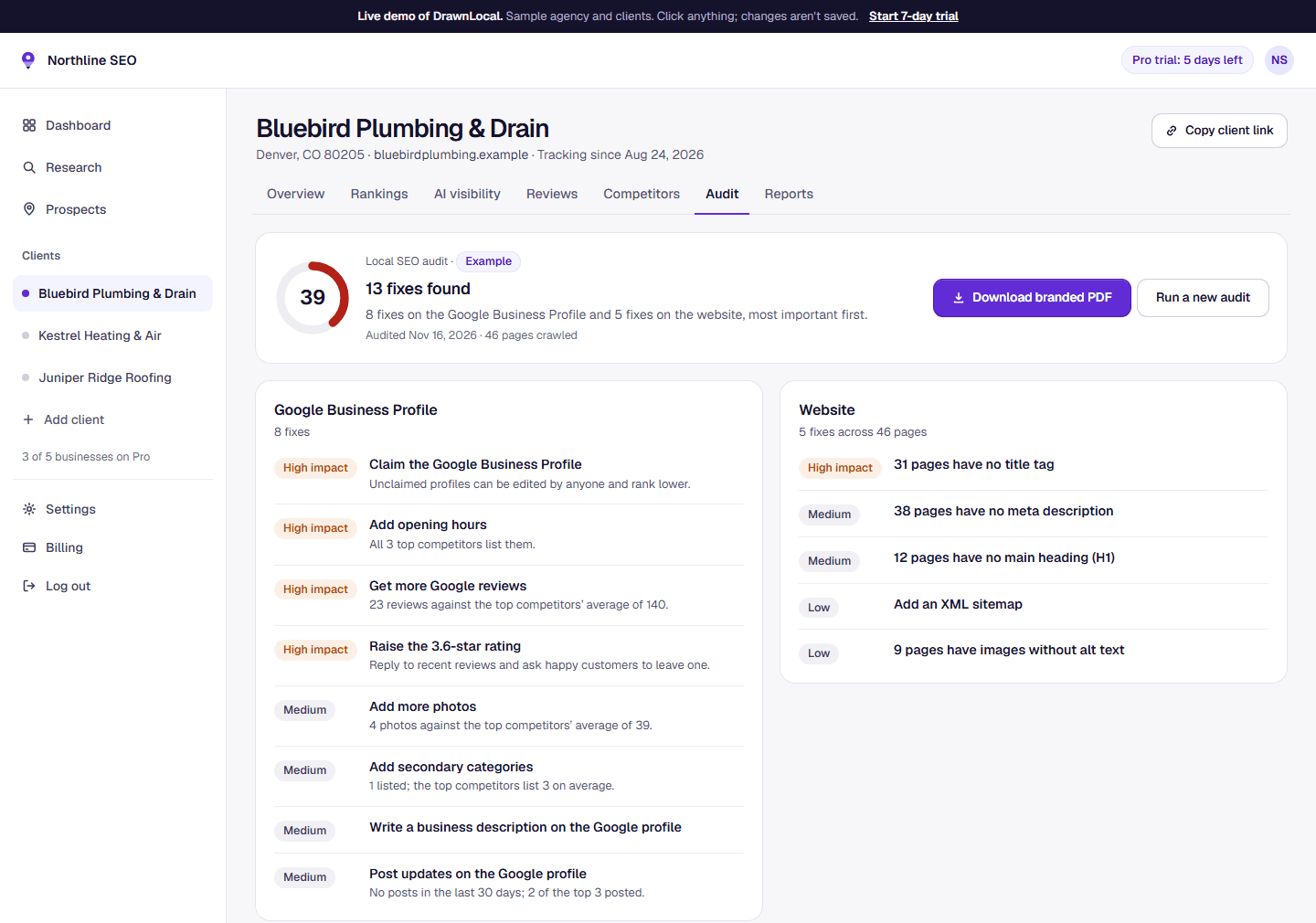
- Day 1: the contract is signed, and the client adds you as a manager on its Google Business Profile. You never need their password.
- Day 2: record the baseline: a heat map for each main keyword, rankings, reviews against the top 3, and two or three AI prompts.
- Day 3: audit the profile, the website and the main listings, and list the fixes in order of impact.
- Day 4: make the quick fixes the client has approved, such as the primary category, hours and services.
- Day 5: send a short note covering what you recorded, what you changed and what happens this month.
The full version, with the welcome email, the questionnaire and the access steps, is the onboarding checklist.
A weekly routine once clients are signed
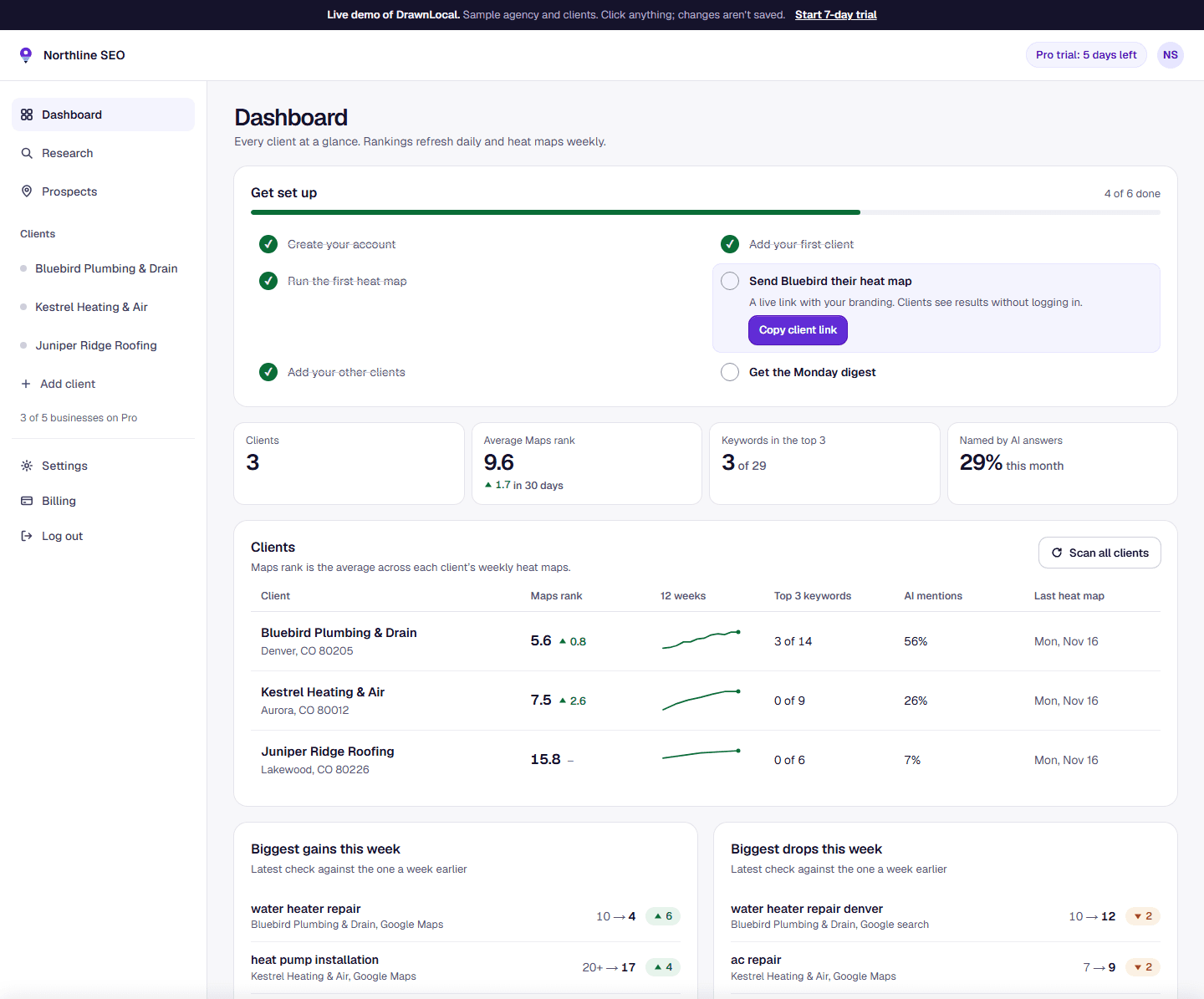
A fixed week keeps delivery, sales and admin from crowding each other out. An example for a solo founder with three to five clients:
| Day | Focus |
|---|---|
| Monday | Check every client’s heat maps and ranking changes, and plan the week’s tasks |
| Tuesday | Delivery: profile updates, review requests and listing fixes |
| Wednesday | Delivery: one service or area page per client in rotation |
| Thursday | Outreach and sales calls |
| Friday | Admin, invoices, client notes, and writing down any process you repeated |
In the first week of each month, swap one delivery day for reports. Sending them on the same date every month makes your work predictable.
7. Systems that let you keep clients
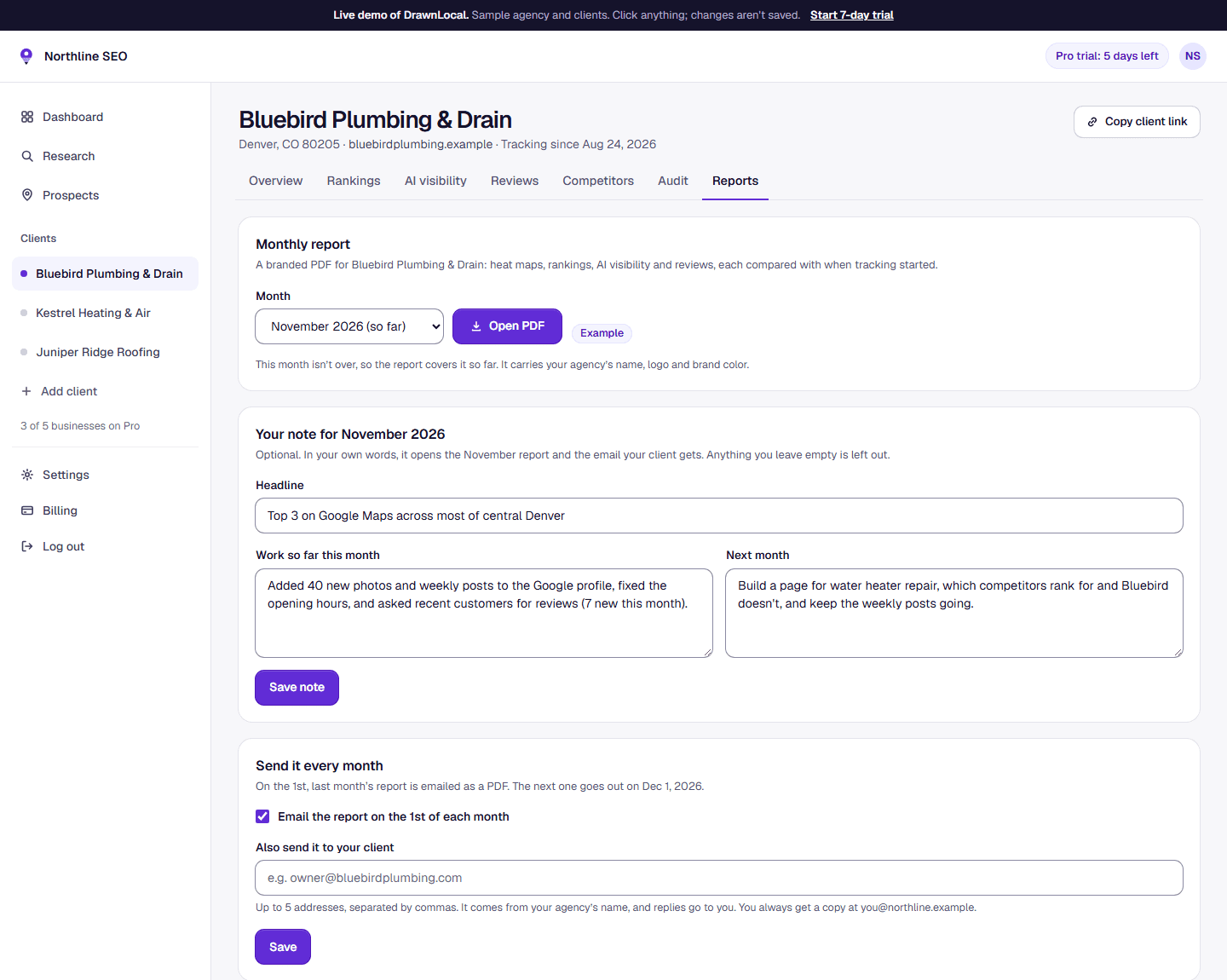
Much of what keeps clients happy is set up once and repeated. That means a dated baseline before any change, an onboarding checklist, a monthly report that compares with the starting month, and a live page clients can check. The onboarding checklist, the report template and client retention cover each one.
Write each task down the second time you do it. By your fifth client those notes are your operating manual, and they’re what makes the first hire possible; how to scale an SEO agency covers that step.
Five first-year mistakes to avoid
- Charging too little to win the first deals. A low fee can’t pay for the hours, so results slip and the client leaves.
- Selling everything. Web design, ads and social on top of SEO spread a solo founder thin.
- Skipping the baseline. Without a dated “before”, even your best month’s work is hard to show.
- Promising rankings. Google’s own guidance says no one can guarantee a #1 ranking, and its policy for agencies bars promising top placement.
- Waiting to write things down. Notes made at client three save weeks at client ten.
How many clients do you need?
Work it out backwards from what you want to earn. An example, not a benchmark: if you want $6,000 a month and your average retainer is $750, you need 8 clients, before tools and taxes. At about 6 hours per client a month, that’s about 48 hours of client work a month, which leaves plenty of time for sales and admin in a full-time week.
Three examples side by side show how the target, the price and the hours move together.
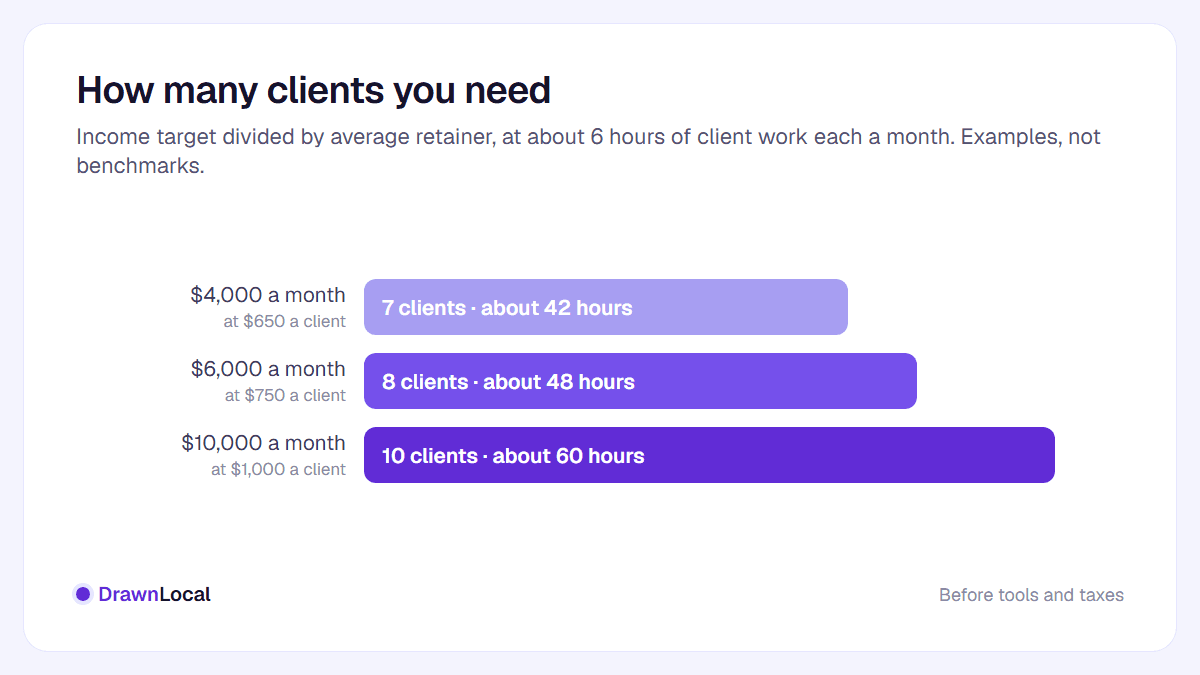
| Monthly income target | Average retainer | Clients needed | Client hours a month |
|---|---|---|---|
| $4,000 | $650 | 7 (6.2 rounded up) | about 42 |
| $6,000 | $750 | 8 | about 48 |
| $10,000 | $1,000 | 10 | about 60 |
Client hours are only part of the week: sales, admin and reporting take time too. When the total regularly passes a full working week, the systems above start to pay off, and how to scale an SEO agency covers the next step.
Run the same sum with your own figures, and plan for some clients leaving each year. SEO agency mistakes lists the ones that cost new agencies their clients.
Questions
Can I start a local SEO business with no experience?
You can, but get results for one business before you charge anyone: your own project, a friend’s, or a free case study. A before-and-after heat map is the proof that wins the first paying clients.
Do I need an LLC to start a local SEO business?
Not to start: the SBA says you’re automatically a sole proprietorship if you don’t register as anything else, but you can then be personally liable. An LLC protects personal assets in most instances. Ask an accountant which suits you.
How much does it cost to start a local SEO business?
Mostly your time. Day-one costs are a website, email on your own domain, contract templates and a local SEO platform. DrawnLocal costs $29 a month for one business and $49 for up to five with branded reports.
How do I get my first local SEO client?
Start with businesses you already know, local business groups and web designers who refer work. Then pick a trade and town, audit businesses with a clear gap, and email one fixable problem with a heat map of their main keyword.
How many clients does a local SEO business need?
Divide your income target by your average retainer. For example, $6,000 a month at $750 per client is 8 clients, before tools and taxes. Then check the hours: about 6 a client is about 48 hours a month.
Sources
- U.S. Small Business Administration: choose a business structure
- IRS: get an employer identification number
- Google Business Profile Help: overview of Business Profile policies
- Google Business Profile Help: third-party policies
- Google: do you need an SEO?
- FTC: CAN-SPAM Act compliance guide