Does a website affect Google Maps rankings? Which parts count, and which don’t
Plenty of plumbers rank in Maps with a one-page website, which makes owners doubt the site matters. It does, through relevance and prominence. Here’s which parts of a website count for Maps, which barely register, and the order to fix them.
By the DrawnLocal team · · Updated · 14 minute read
How a website feeds Google Maps rankings
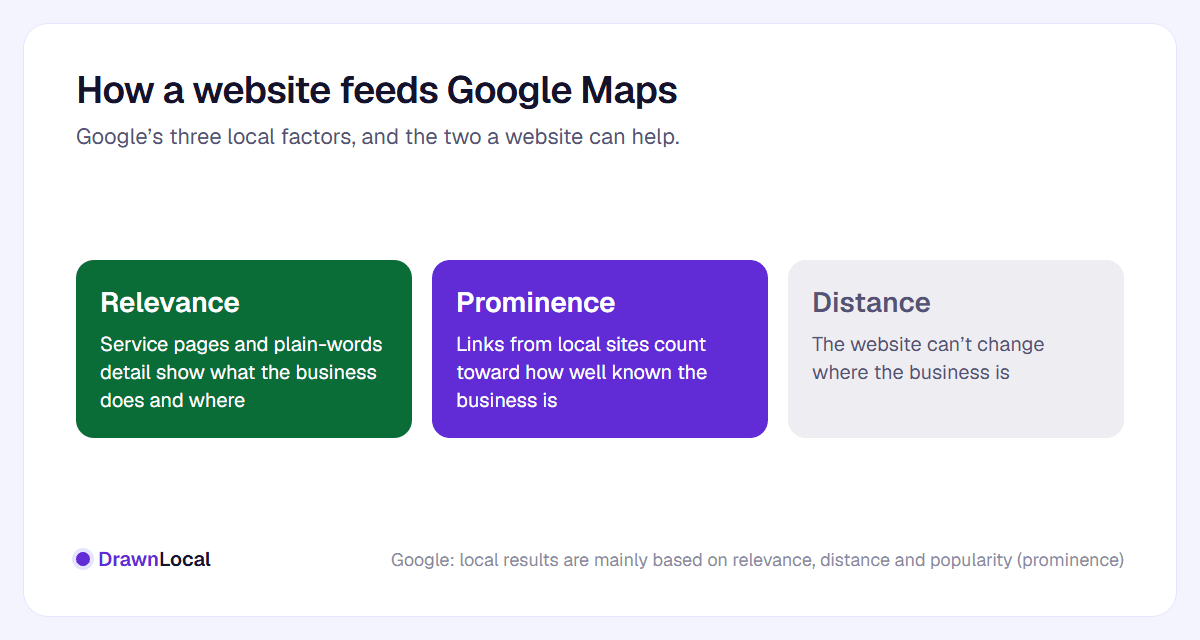
Google says local results are mainly based on relevance, distance and popularity, which its help page then describes as prominence. The website can’t change distance, but it helps the other two. Relevance is how well a profile matches the search, and Google asks businesses to give complete, detailed information; the website is where most of that detail lives. Prominence is how well known a business is, and Google says it’s based partly on “how many websites link to your business”.
In practice, the page the profile links to (usually the homepage or a location page) matters a lot, followed by the service pages around it and the links pointing at them.
The website factors that count most for Maps
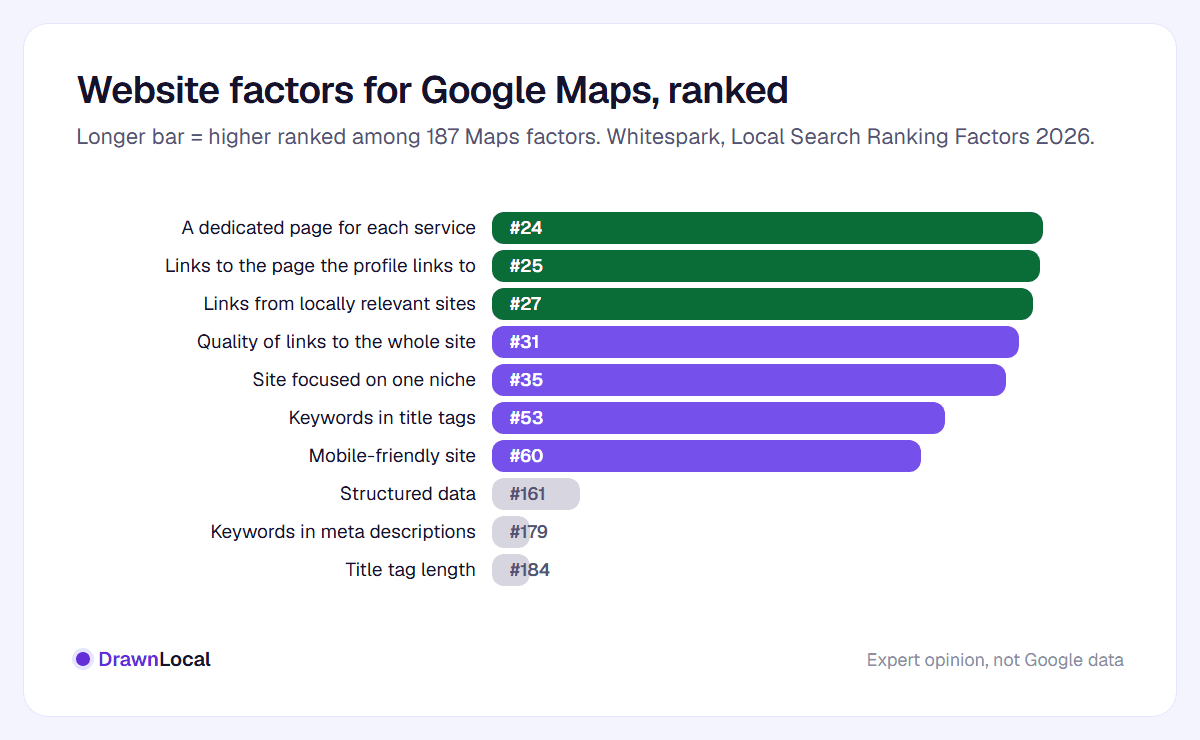
Service pages and the links pointing at the site count most, according to local search experts. Google doesn’t publish weights; Whitespark’s yearly survey is the best public guide, and these are its highest-ranked website factors for Maps:
| Rank | Website factor |
|---|---|
| 24 | A dedicated page for each service |
| 25 | Quality of links to the page the Google profile links to |
| 27 | Number of links from locally relevant sites |
| 31 | Quality of links to the whole site |
| 35 | How focused the site is on one niche |
| 37 | Service keywords used across the site |
| 53 | Keywords in title tags across the site |
| 54 | HTTPS by default |
| 60 | Mobile-friendly site |
For context, the top factors were all on the profile or about location: the primary category first, distance second and keywords in the business name third. The website matters, but it supports the profile rather than replacing it.
For local organic results, the list below the Maps box, the website weighs far more: a dedicated page for each service ranked first there, and city or neighborhood relevance second.
The page the profile links to: a checklist
Links to this page ranked 25th for Maps, so it deserves the most care. Check that it has:
- The business name, address and phone exactly as on the Google profile.
- The main services, named in the words customers use.
- The towns or neighborhoods served, by name.
- A title tag with the main service and the city, such as “Plumber in Aurora, CO | [Business]”.
- Opening hours that match the profile.
- Links to each service page.
- Reviews or proof: licenses, years in business, photos of real jobs.
- A clear way to call or book, near the top on phones.
For a single location this is usually the homepage. For several locations, link each profile to that location’s own page, with its own address and phone.
Service pages that help Maps and customers
A dedicated page for each service ranked 24th for Maps and first for local organic results. Each page is a chance to match a search precisely, and to answer the questions a customer has before calling.
Write one page per service that earns money, not one page listing everything. Say what the service is, where it’s offered, how fast, roughly what it costs, and what customers ask. Add photos of real jobs and a few short reviews about that service. Link the page from the menu and from the page the profile links to.
Area pages, without doorway pages
Pages for the towns a business serves help it match searches that name them. But Google’s spam policies forbid doorway pages: many near-identical pages that only swap the town name to catch searches.
The difference is real local detail. A good area page says which neighborhoods are covered, the typical jobs there, response times, and perhaps a recent job nearby. If you can’t write anything specific about a town, it probably doesn’t need its own page yet.
Local links: where to find them
Links from locally relevant sites ranked 27th for Maps. Places to look, all earned rather than bought:
- Trade associations and the local chamber of commerce.
- Suppliers and manufacturers that list dealers or certified installers.
- Local sponsorships: youth sports, school events, charity runs.
- Local news, for a useful story such as storm-season advice.
- Partners: builders, property managers or other trades who refer work.
Each link should make sense to a customer who clicks it. That’s also the best test of whether it’s worth having.
One-page websites: when they’re enough
A one-page site can work for a business with one main service in one small town, where the competition is thin. It gives the profile a link, shows the details, and gives customers somewhere to check.
It stops being enough when the business offers several services, serves several towns, or competes with rivals who have a page for everything. That’s when a dedicated page per service starts to pay off, because each one can match a different search.
Technical basics that matter to customers
HTTPS ranked 54th and mobile-friendliness 60th for Maps. Neither will lift a map on its own, but both matter to the person who taps through from Maps on a phone. A site that’s slow, broken on mobile or flagged as not secure loses the call even when the ranking won it.
Check three things: the site loads over HTTPS, the phone number is tappable on a phone, and the main pages load quickly. Everything else can wait for the bigger work.
Website mistakes that cost local businesses
- The profile links to a page that doesn’t mention the main service.
- Different phone numbers on the website and the profile, often from old call tracking.
- One “Services” page listing everything, instead of a page for each.
- Dozens of town pages with only the name swapped.
- Hours that don’t match the profile.
- Hours spent on meta descriptions and sitemaps while the service pages don’t exist.
Websites and AI answers
Business websites made up 42% of citations in BrightLocal’s 2026 study of local AI answers. A page that answers customers’ questions in text gives ChatGPT or Google AI Mode something to quote.
So the same service pages help twice: in Maps and in AI answers. Google AI Mode and local SEO covers what to track there.
Measure website changes on the map
Website work shows up slowly and unevenly across an area, so measure it with the same heat map before and after. Here’s the kind of baseline to save, from DrawnLocal’s free heat map on Nov 21, 2026. A Boise plumbing company, for “plumber”, is first at its address and in the top 3 at 7 of 9 points.
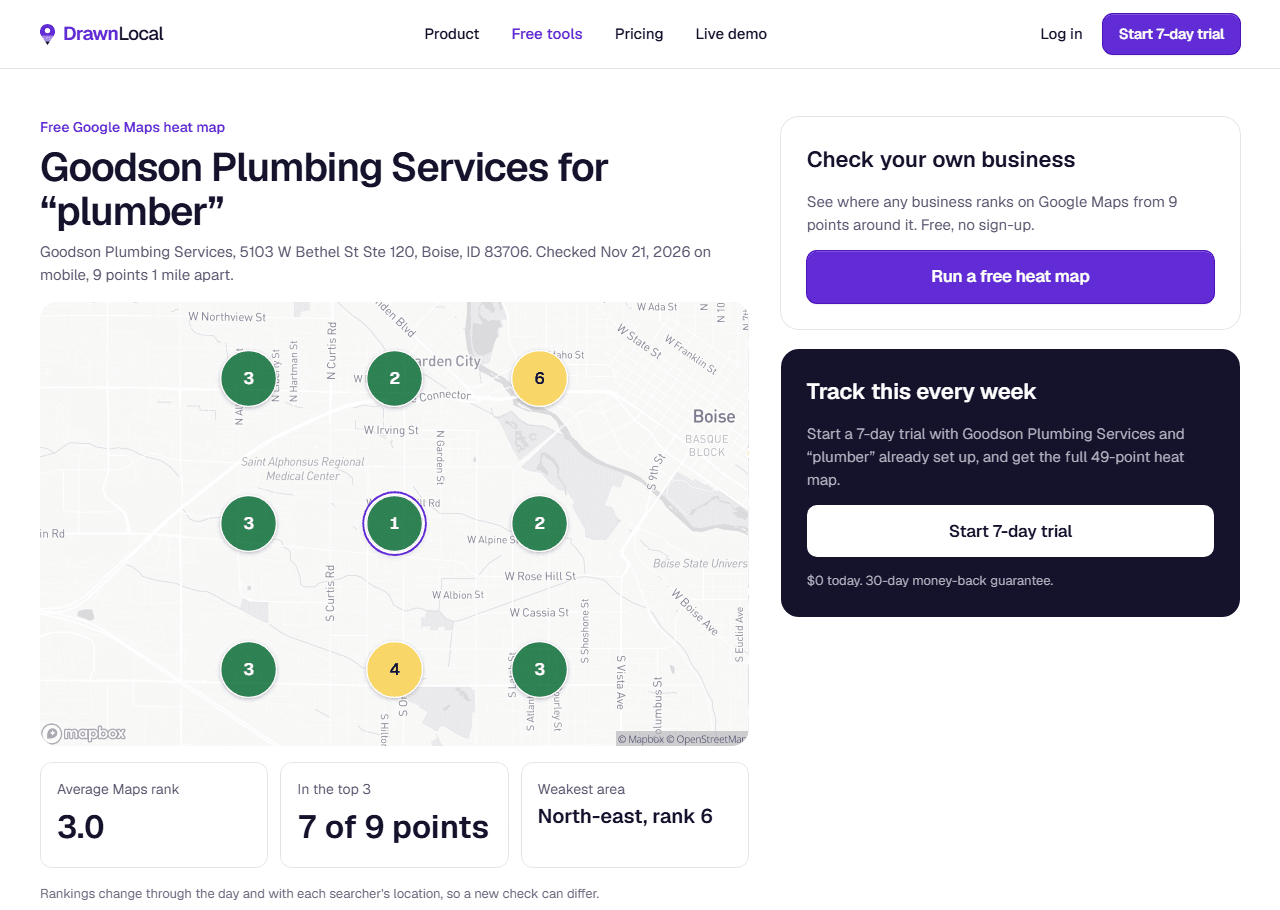
Then run the same keyword and grid four to eight weeks after the new pages go live. Note the date of each change, so you can line up any movement with the work.
Track web positions too
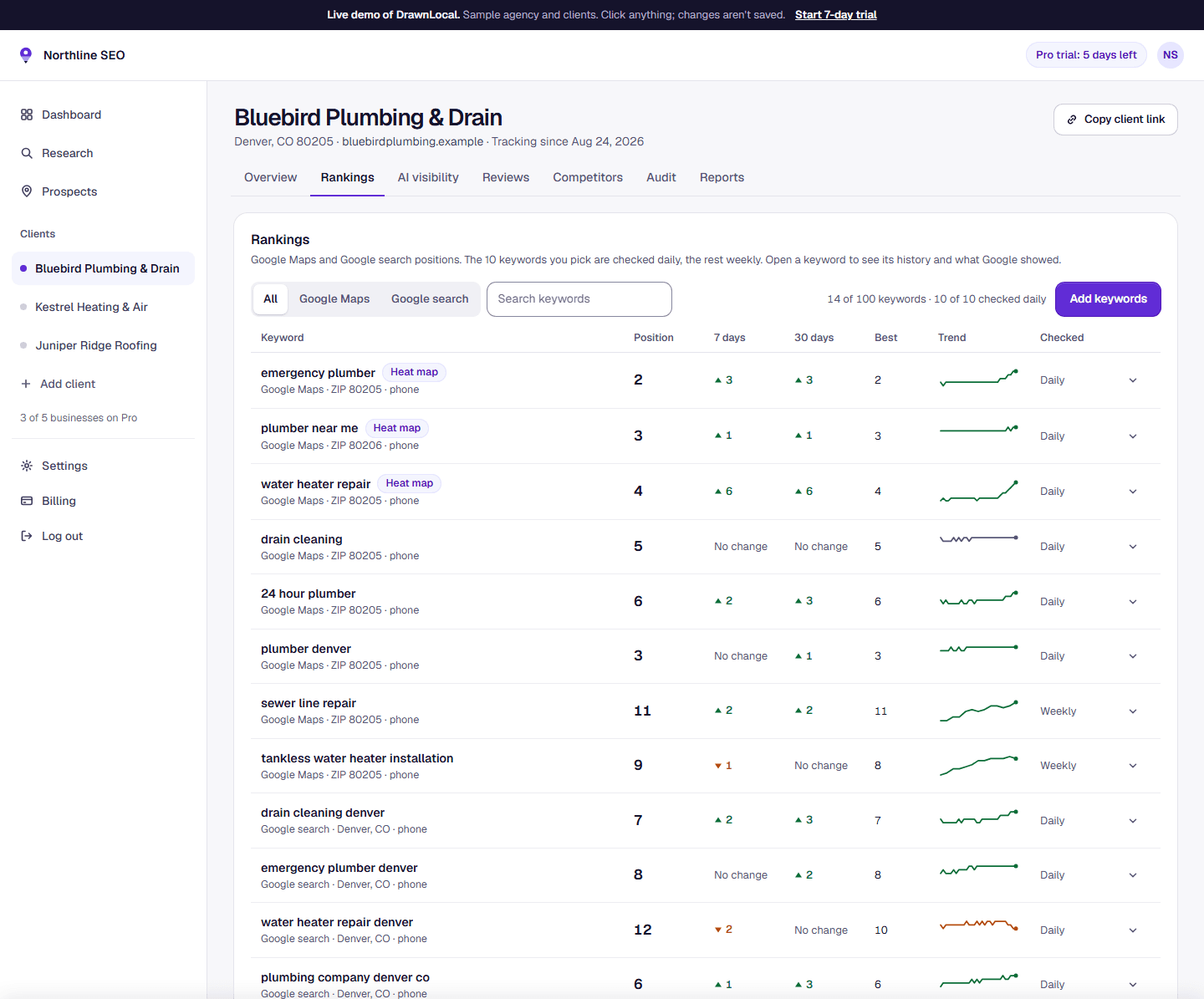
Service pages also rank in the normal results under the map. Track the main keywords in both places, so the report shows the website’s effect on its own:
See what rivals’ websites rank for
Look at which searches bring rivals traffic that the client misses. Services they have pages for, and the client doesn’t, are the first candidates for new pages:
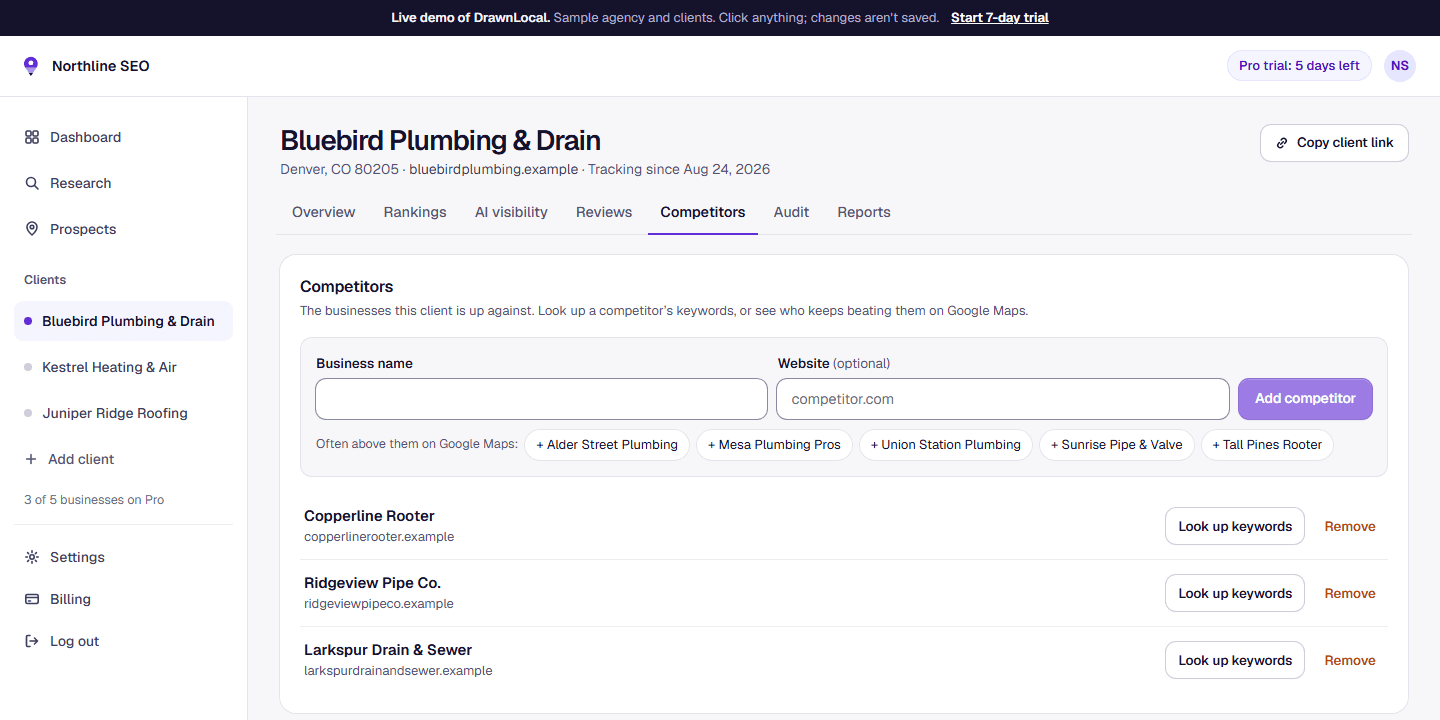
Only add a page for a service the business really offers. A page that brings calls for work it doesn’t do costs more than it gains.
Try it on any business
See where a business ranks across its area before and after any website change. Pick it as it appears on Google, enter a keyword, and the free tool checks 9 points around it:
A service page outline
Use the same structure for every service page, so each one is quick to write and complete:
- A heading with the service and the main town, such as “Water heater repair in Aurora”.
- Two sentences on what the service is and who it’s for.
- The towns and neighborhoods where it’s offered.
- How fast: same day, next day or by appointment, and when the phone is answered.
- Roughly what it costs, or what the price depends on.
- Proof: licenses, years in business and two or three short reviews about this service.
- Photos of real jobs, each with a few words.
- The questions customers ask, each answered briefly.
- One next step: call, book or request a quote.
Websites for service-area businesses
A business that visits customers and hides its address on the profile still needs a clear website. The site is where it shows which towns it serves, so a page for each main town, with real local detail, matters more here than for a storefront.
Keep the phone number and hours identical to the profile, and say plainly that the business travels to customers. A short list of the towns covered, near the top of the homepage, helps customers check quickly whether the business serves them. Google Maps rankings for service-area businesses covers the rest.
Websites for several locations
Give each location its own page, with its own address, phone, hours and team, and link each Google profile to its location’s page. One shared page for every branch gives every profile the same, weaker match.
Location pages can share a template, but each needs its own detail: the area it serves, its reviews and photos from its jobs. Multi-location local SEO has more.
Show proof on the website
Customers who tap through from Maps want reassurance before they call. Put proof where they’ll see it: the rating and a few recent reviews, licenses and insurance, years in business, and photos of real jobs with the team.
None of this is a ranking factor in itself, but it decides whether the visit becomes a call. A ranking that brings visitors who don’t call is only half a result.
Fix the site, or rebuild it?
Owners sometimes ask for a new website. The existing one may only need work:
| Fix it if | Rebuild it if |
|---|---|
| You can add pages and edit text easily | Adding a page needs a developer every time |
| It works on phones and loads over HTTPS | It’s broken on phones or not secure |
| The structure can take a page per service | Everything lives on one page that can’t grow |
| The owner can update hours and photos | Nobody has the login, or the platform is gone |
If you rebuild, keep the old page addresses working or redirect them, so links the site has earned aren’t lost. Then add the service pages before anything else.
A website checklist for local SEO
Twelve checks, roughly in order of impact for Maps:
- The profile links to the page that best matches the main service and area.
- That page shows the same name, address and phone as the profile.
- Every main service has its own page.
- The main towns have pages with real local detail.
- Service pages link to each other and from the menu.
- The site has links from local associations, suppliers or sponsors.
- Title tags name the service and the city.
- Hours match the profile.
- The site loads over HTTPS.
- It works well on phones, with a tappable phone number.
- Pages load quickly.
- Structured data matches what’s visible, if it’s used at all.
The local SEO audit checklist puts these alongside the profile checks.
Questions owners ask about their website
Short answers for common questions:
- “Do I need a new website to rank on Maps?” Often not. The profile matters most; then a page per service on the site you have.
- “How many pages do I need?” One for each service that earns money, and one for each main town, each with something real to say.
- “Will a blog help my Maps ranking?” Not directly. Service pages and local links count for more in Maps.
- “Does my web designer need to be involved?” Only if you can’t add pages or edit text yourself.
- “How long until website changes show on Maps?” Usually weeks to months, unevenly across the area. Compare heat maps before and after.
A worked example: a plumber’s website, before and after
A made-up plumber, to show how the checklist turns into work:
| Before | After |
|---|---|
| The profile links to a homepage that says “quality plumbing since 1998” | The profile links to a homepage naming the main services and the five towns served |
| One “Services” page listing twelve services | Separate pages for the four that earn the most: water heaters, repiping, drain cleaning, emergency repairs |
| A call-tracking number on the site, the main number on the profile | One number everywhere |
| No links from local sites | Listed by the plumbing association and two suppliers; sponsoring a youth team |
| Hours missing from the site | Hours on every page, matching the profile |
None of it is complicated. It’s a few weeks of steady work, done in the order that matters most for Maps.
Writing about prices on a service page
Customers want to know roughly what a job costs before they call, and a page that says nothing about price can lose them. Some owners worry about stating a figure. A middle path works: give a typical range, say what changes it, and offer a free quote.
For example: “Most water heater replacements cost between [low] and [high], depending on the size, the fuel type and access. We’ll give you a firm price after a quick look.” It answers the question without tying the business to a number.
One phone number everywhere
The website, the profile and the main directories should show the same name, address and phone. Call tracking can break that: a different number on the website than on the profile sends mixed signals and confuses customers who see both.
If the business tracks calls, keep the main number on the profile and as the site’s main listed number. Use tracking in ways that don’t replace it everywhere, and check the main directories still show the real number.
Website work inside a 90-day plan
Website changes fit month two of a 90-day plan, after the profile fixes in month one. Start with the page the profile links to, then the service pages for the most valuable jobs, then the main area pages.
Local links follow in month three. Measure all of it against the day-one heat map at day 90. The 90-day plan has the week-by-week order.
Photos on the website
Photos of real jobs, the team and the vehicles show customers the business is real and local. Use them on each service page, with a few words on what the job was and where.
Skip stock photos of smiling models in hard hats. They tell the customer little, and they make a small business look like every other site.
Structured data: worth adding, but not first
Structured data ranked 161st of 187 for Maps in the survey, so it won’t move a heat map. It still helps search engines read details such as the address, hours and services, which is a reason to add it.
Add it once the pages exist, and make sure it matches what’s visible on the page. Structured data that disagrees with the page, or with the Google profile, does more harm than having none.
Beyond service pages: project pages and FAQs
Once the service and area pages are in place, two more kinds of page can help customers and search. Project pages show a real job: the problem, the work, the town and photos. A questions page answers what customers ask on the phone, in plain words.
Both give the site more of what customers search for. Both are also easy for an owner to supply: a few photos and a few sentences after a job, or the questions the office hears every week.
What barely matters for Maps
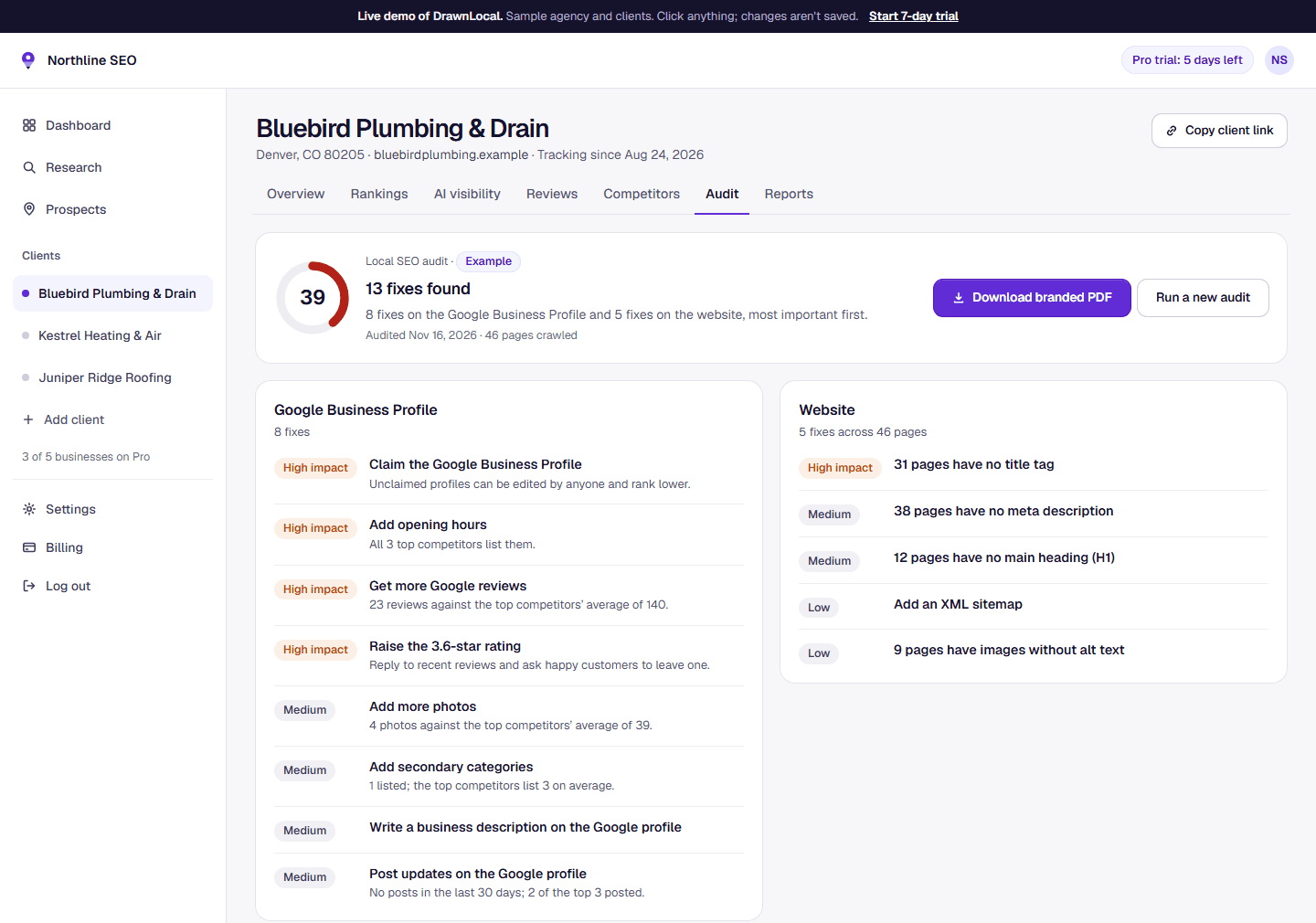
The same survey ranked some common SEO chores near the bottom for Maps. Structured data came 161st, keywords in image alt text 169th, keywords in meta descriptions 179th, an XML sitemap 183rd and title tag length 184th, which Whitespark calls a myth. They can still help the site in other ways, but they won’t move a heat map.
Can a business rank in Google Maps without a website?
Yes. Profiles without a website can rank, especially in small towns with little competition, because category, distance and reviews carry the most weight. But the business gives up relevance and prominence signals its competitors have, and customers who want to check it out have nowhere to go. A missing website is one of the clearest gaps to pitch; DrawnLocal’s prospect finder filters for businesses without one.
What to fix first
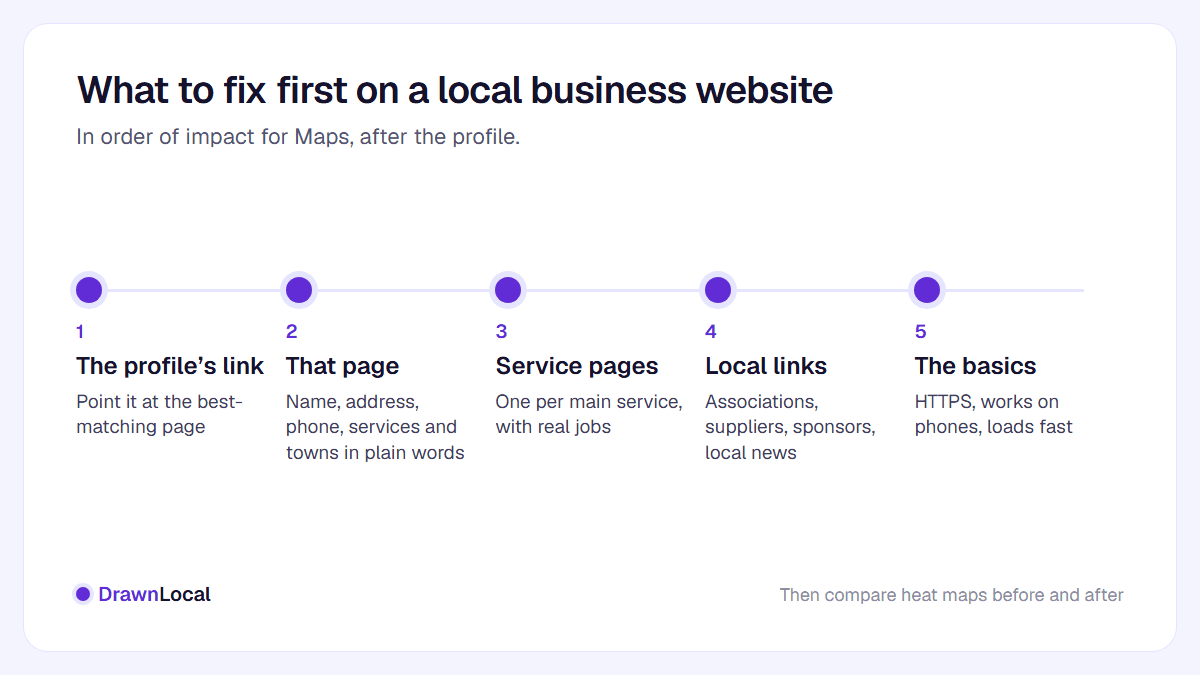
- The profile’s link. Point it at the page that best matches the main service and area, usually the homepage for a single location or the location’s own page for several.
- That page. The business name, address and phone as on the profile, the main services and towns in plain words, and a title tag with the main service and city.
- A page for each service, linked from the menu and from that page: what’s done, where, how fast, roughly what it costs, and photos of real jobs.
- Local links: trade associations, suppliers’ dealer lists, local sponsorships, chambers of commerce and local news.
- The basics: HTTPS, a site that works well on phones, and pages that load quickly.
Then measure: compare heat maps before and after, because website changes show up slowly and unevenly across an area. The 90-day plan puts this work in month two, after the profile fixes.
Questions
Does a website help Google Maps ranking?
Yes. Google ranks local results on relevance, distance and prominence, and the website adds to relevance through detailed service information and to prominence through the sites that link to it.
Which website page matters most for Google Maps?
The page the Google Business Profile links to, usually the homepage or a location page. Links to that page ranked 25th of 187 Maps factors in Whitespark’s 2026 survey, and dedicated service pages 24th.
Do I need a website to be on Google Maps?
No. A Business Profile doesn’t require a website, and businesses without one can rank. They give up relevance and link signals their competitors have, though, so a website usually helps.
Do area pages help Google Maps rankings?
They can help a business match searches that name the towns it serves. Each page needs real local detail; near-identical pages that only swap the town name count as doorway pages under Google’s spam policies.
Does schema markup help Google Maps rankings?
Not much on its own: experts ranked website content marked up in structured data 161st of 187 Maps factors. It still helps search engines read details such as the address and hours, so it’s worth adding.
Sources
- Google Business Profile Help: tips to improve your local ranking
- Whitespark: Local Search Ranking Factors 2026 (published Nov 6, 2025)
- BrightLocal: local AI visibility study (published Sep 16, 2026)
- Google Search Central: spam policies for Google web search